
★★★★★
Simple setup, powerful data tools. Perfect for traders who value clarity.
Six professional, invite-only TradingView indicators that render market structure, momentum and session context by fixed rules on one clean chart — for self-directed traders who want a repeatable process, not another prediction.
Pine Script v6Invite-only on TradingViewEngineered in Zürich
Analytical software, not advice. Trading involves substantial risk of loss.
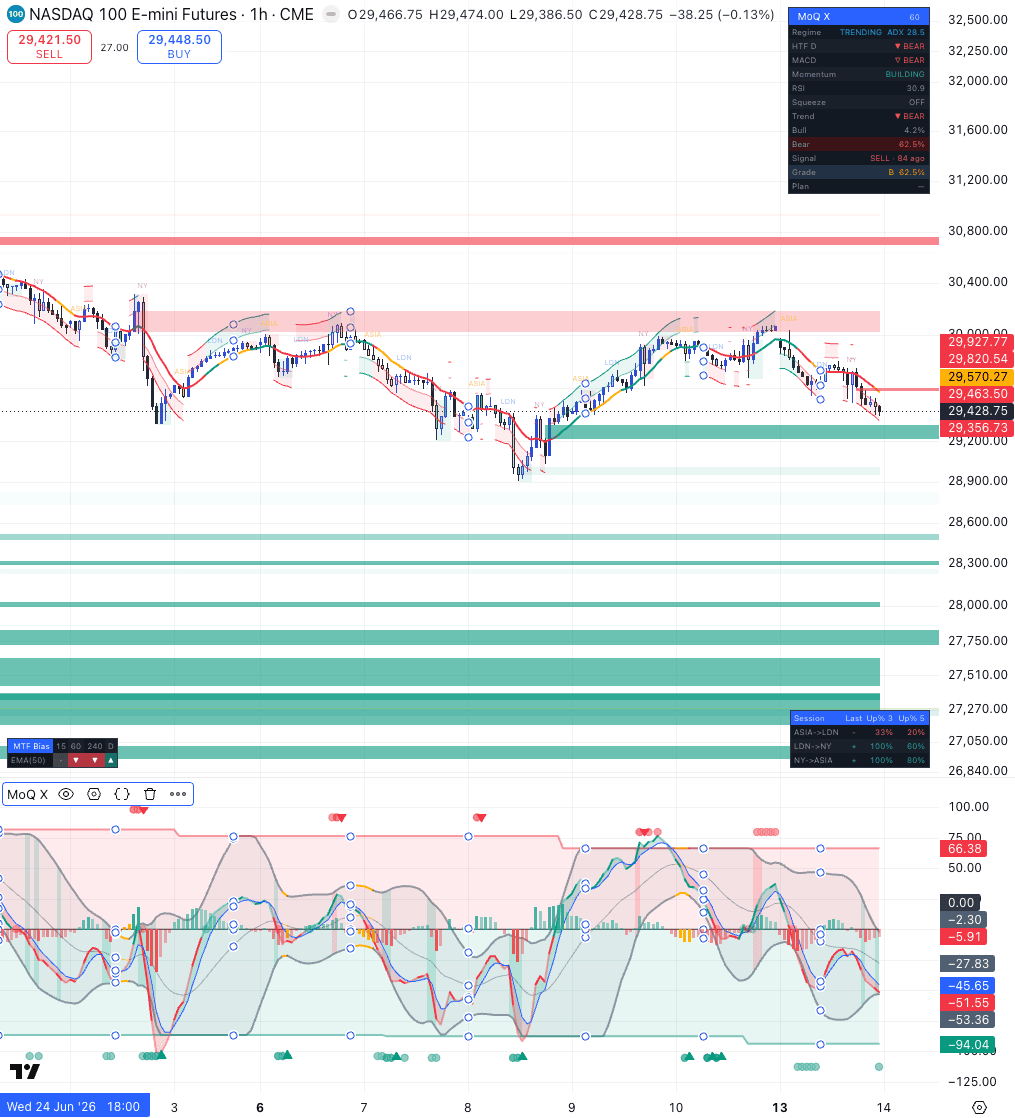
Most traders don't lack information — they drown in it. Somewhere between the fourteenth indicator and the fifth timeframe, the plan quietly disappears.
Six oscillators, three moving-average ribbons, two trend tools — and they rarely agree. Each new overlay adds an opinion, not an answer.
After the move, the chart looks obvious. In the moment, nothing was marked, nothing was measured, and every level was redrawn from memory.
When entries depend on mood and memory, no two trades are taken the same way — so you can never tell whether the plan failed or the execution did.
Five timeframes, twenty symbols, one pair of eyes. Attention burns down exactly when decision quality matters most.
None of this is fixed by another arrow on a chart. It's fixed by structure — detected the same way, every time.
The Chart Structure Playbook is a free PDF on how we mark charts: swings, break of structure vs. change of character, order blocks, fair value gaps and session context — annotated examples you can apply on any market, with any tools.
Double opt-in · No spam · Unsubscribe anytime
No predictions, no black box. Each tool renders one class of rules-based evidence directly on the chart — the same things disciplined traders mark by hand, applied consistently and instantly.
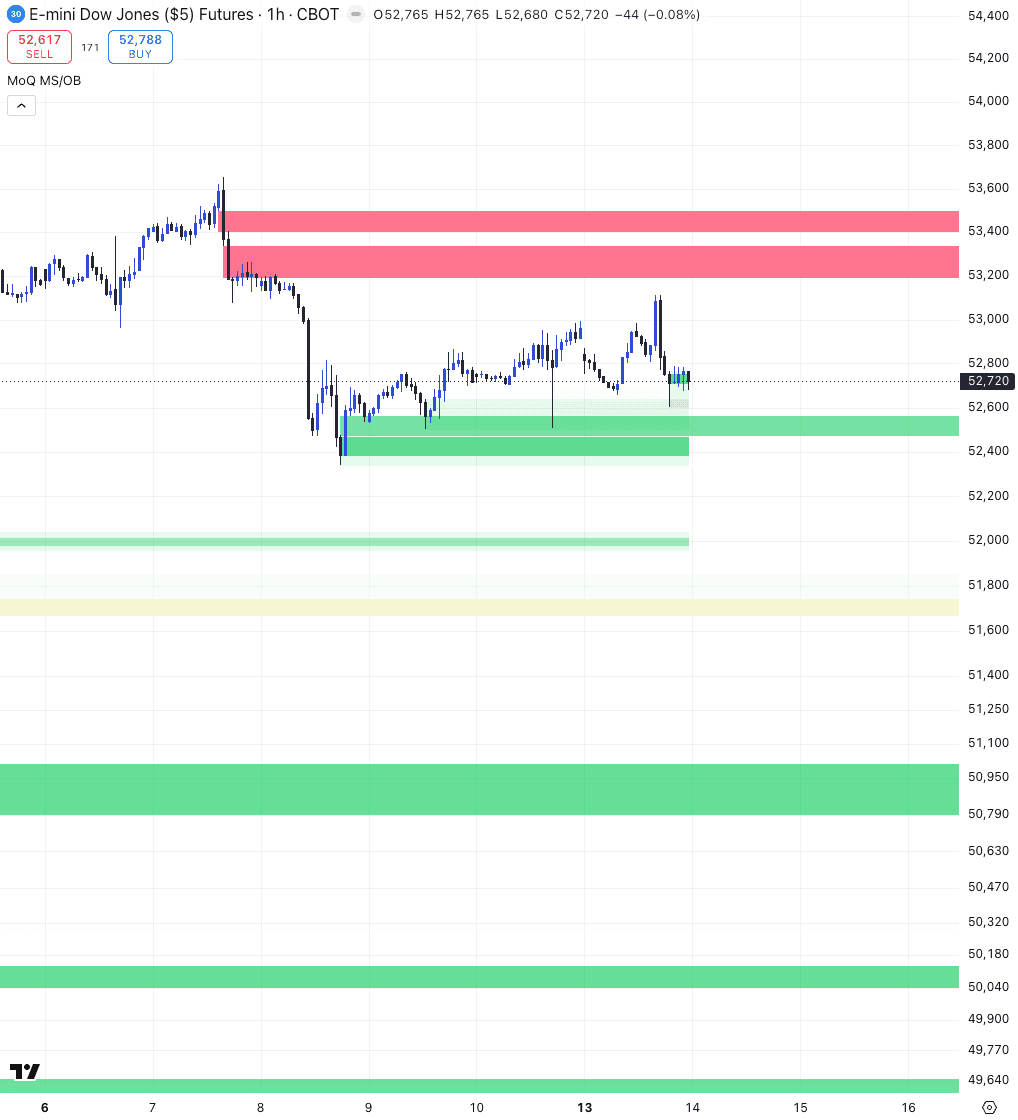
Swing highs and lows are classified in real time as break of structure or change of character. Directional bias stops being a feeling and becomes a labeled sequence you can audit after the session.
The last opposing candle before an impulsive move, the imbalances fast price leaves behind, yesterday's and last week's levels — plotted automatically and tracked until filled or invalidated. You see where a reaction has a structural reason to happen.
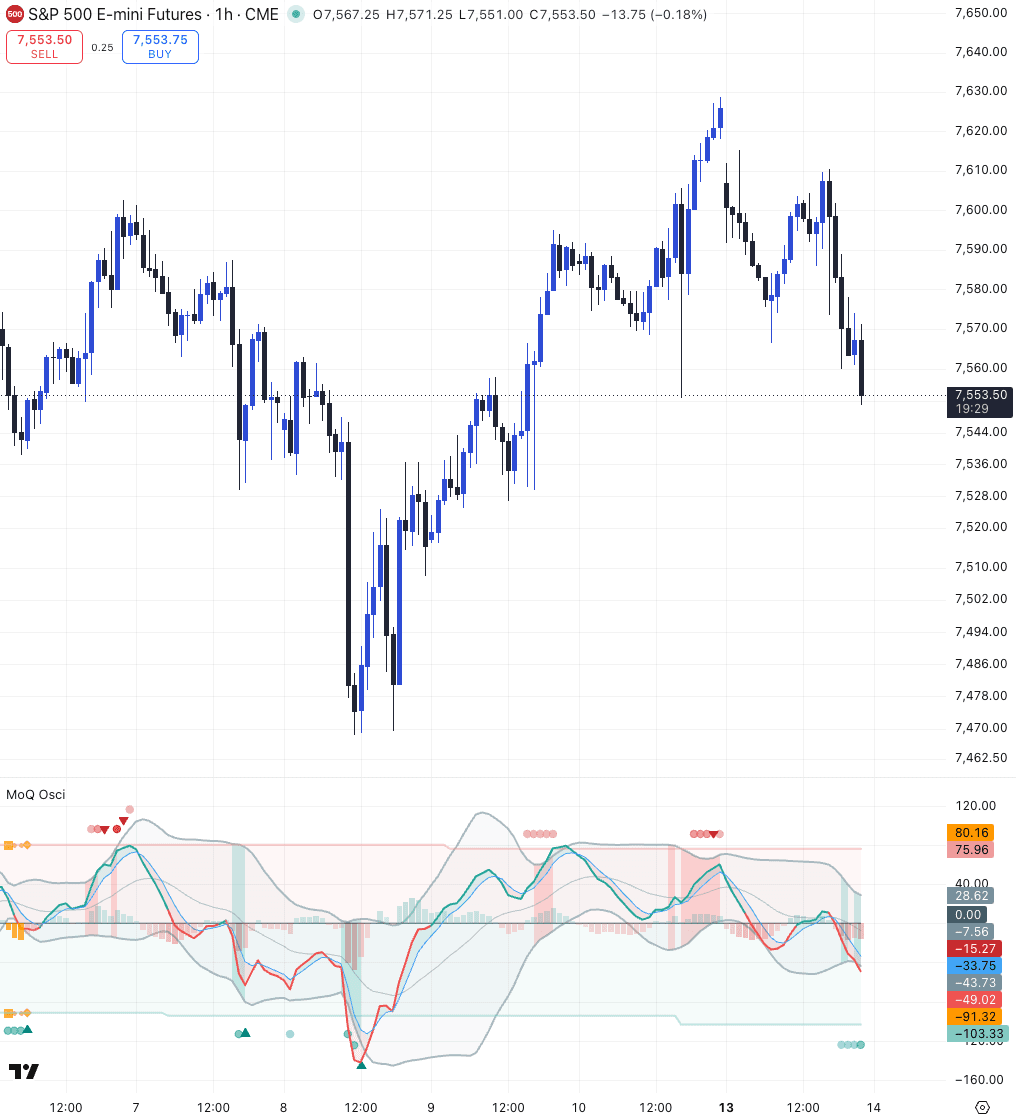
An adaptive momentum core normalizes readings across instruments and timeframes, classifies the regime — trending, ranging, transitional — and stages its cues as pre, wait, trigger. Conditions are graded, never shouted.
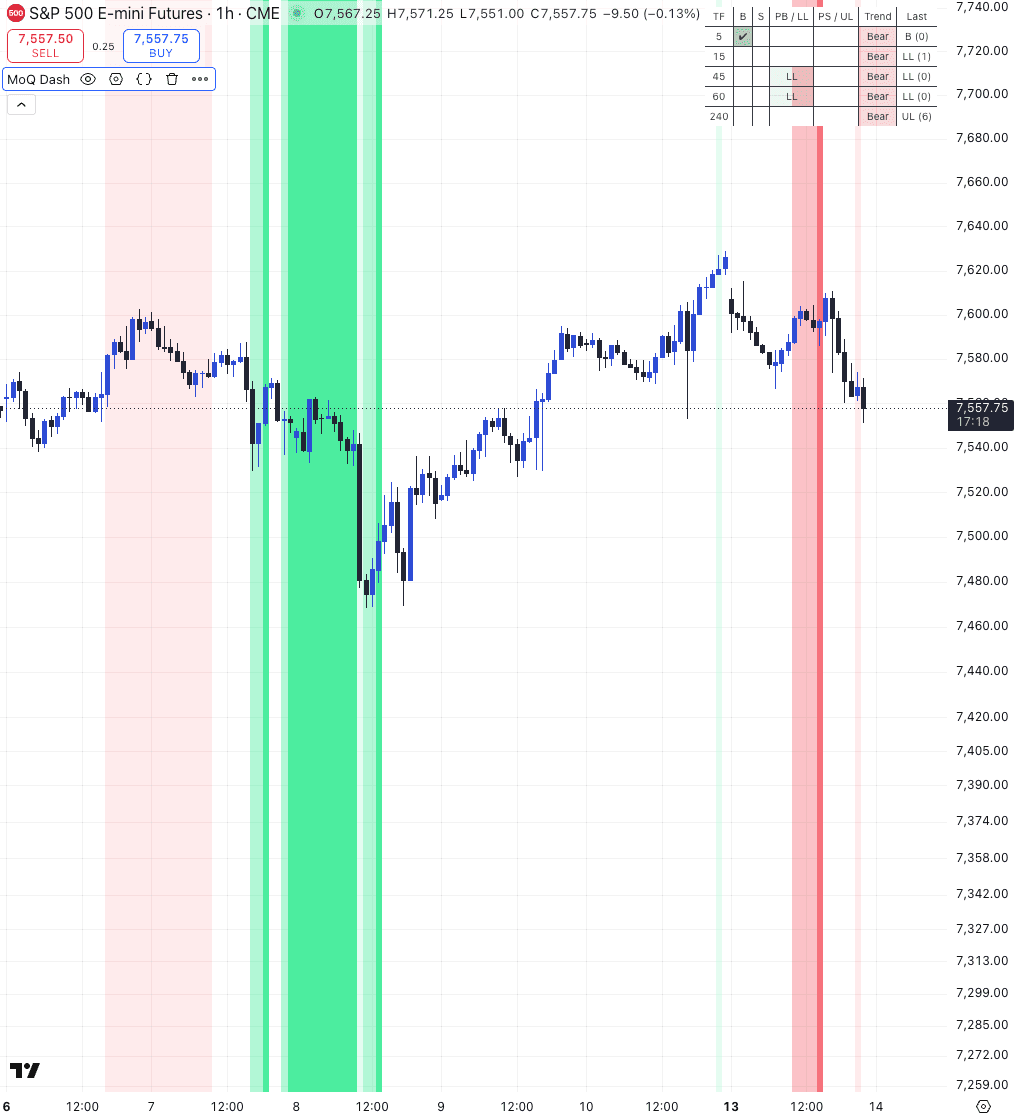
Session opens, higher-timeframe bias and a VIX-based risk overlay sit next to multi-symbol condition tables. The pre-trade checklist collapses to one glance instead of five chart switches.
A tool that claims to know the future can't be checked. A tool that labels structure by fixed rules can — the same rules, applied the same way, on every chart. That consistency is what turns analysis into a repeatable pre-trade checklist: fewer conflicting signals, fewer decisions made twice, and a chart you can hold yourself accountable to.
If you're comparing this page with ones that promise more, read this first — the restraint is deliberate.
No software can guarantee trading results. Ours doesn't, and we won't imply otherwise.
We publish no accuracy percentages or performance figures — any curated sample would flatter, and flattering numbers mislead.
The indicators display analysis. Entries, exits, sizing and risk remain your decisions, made on your responsibility.
No countdown timers, no “three spots left”. The price below is the price.
What we do promise: engineered software — versioned releases, documentation, updates and support from a registered Swiss company.
Every indicator answers one question well. Run the flagship alone or compose the set — designed to work together on any market and timeframe TradingView supports.
Regime-adaptive multi-factor confluence framework.
Market structure and order blocks, mapped as they form.
Adaptive momentum engine with squeeze detection and regime classification.
Precision reversal and breakout detection with adaptive statistical envelopes.
Multi-symbol, multi-timeframe dashboard with regime detection and pre-signal alerts.
Your momentum regime radar.
We'd rather show you our registry entry than a screenshot of anyone's account. MomentumQ is an engineering studio in Zürich — and its users talk about workflow, not windfalls.
Full legal details in the Impressum →
MomentumQ GmbH provides software and educational content. It is not an investment advisor, broker or asset manager, does not provide personalized investment advice or recommendations, and is not supervised by FINMA or any other financial regulator.
Simple setup, powerful data tools. Perfect for traders who value clarity.
I've been using MomentumQ for a bit now, and I'm really impressed with how well they understand the market. Their indicators make it easier to spot things like momentum shifts and important price levels, and they've definitely helped me see the bigger picture more clearly. There's a bit of a learning curve at first, but once you get used to the tools, they're genuinely helpful. Overall, a really solid experience and definitely worth trying if you want to improve your market understanding.
I've been trading stocks for over five years, mostly focusing on long positions, and MomentumQ has been a great addition to my toolkit. The MomentumQ Combo, Oscillator, and MS/OB indicators are straightforward but very effective.
Great tools for trading indicators — highly recommend for beginners trying to understand how to trade the market.
Genuine reviews from our public Google listing. Experiences are individual and not a promise of a similar experience. Reviews that mention trading results are excluded from this page by policy.
You keep using TradingView. We add invite-only Pine Scripts to your account — no installer, no browser extension, and no card to start.
Enter your email and TradingView username — that's the entire signup. 7 days of full access, no credit card, no account to create.
Within 24 hours the scripts appear in your TradingView under Indicators → Invite-Only Scripts. We only ever need your public username — no password, no API key, no chart access.
If the tools earn their place, pick the plan that fits your trading. If you do nothing, the trial simply expires — we never took a card.
Three plans in US dollars, billed monthly or quarterly. Each starts with a 7-day free trial — no card — and paid plans carry a 7-day refund window. No countdowns, no artificial scarcity: the price you see is the price.
Risk notice: trading financial instruments involves substantial risk of loss and is not suitable for every investor. Leveraged products can result in losses exceeding your deposit. Past performance and illustrative examples are not indicative of future results. Subscription fees buy software access, not investment services; all trading decisions and their consequences are solely your responsibility.
If a question decides a purchase, it belongs here. Anything missing — ask in Discord or via the contact page.
Start with 7 days of the full suite — no card, nothing to install, access granted to your TradingView username within 24 hours. If it doesn't make your process clearer, let it expire.
Enter your TradingView username and email to get started. We'll activate your indicators within 24 hours.
Disclaimer: The indicators and market analyses provided by MomentumQ GmbH do not constitute a financial service, in particular investment advice, an offer or solicitation to buy or sell financial instruments. The information is provided for informational purposes only and does not replace personal advice. Despite careful review, no guarantee is given for accuracy, completeness, or timeliness. Past performance is not an indicator of future results. Investments involve risks, and a total loss of capital invested is possible. Use of the information is at your own risk.
Disclaimer: The indicators and market analyses provided by MomentumQ GmbH do not constitute a financial service, in particular investment advice, an offer or solicitation to buy or sell financial instruments. The information is provided for informational purposes only and does not replace personal advice. Despite careful review, no guarantee is given for accuracy, completeness, or timeliness. Past performance is not an indicator of future results. Investments involve risks, and a total loss of capital invested is possible. Use of the information is at your own risk.
Every plan starts with the same 7-day free trial. The private Discord channels are included in MoQ Insights and MoQ Pro; the six TradingView indicators in MoQ Indicators and MoQ Pro.
All prices in US dollars (USD). The price shown is the total price — no VAT is charged.
The private Discord channels — daily market analysis, trade setups, team support — without the indicator suite.
Full access to all 6 TradingView indicators — without the private Discord channels.
Insights and Indicators together — private Discord channels and the full indicator suite, plus exclusive strategy content and direct developer access.
All six TradingView indicators for a single payment. No subscription — yours for good.
Payments powered by
Purchases grant immediate access to digital content. EU/EEA consumers: by completing checkout you request immediate performance and acknowledge that the statutory 14-day right of withdrawal lapses once access is granted. Our voluntary 7-day money-back guarantee applies regardless — see the Terms of Service.